Windows
Same Noto. On your desktop.
Open Notes, Today, and Planner in a dedicated Windows app — signed in with the same Noto account you already use on the web.
Early Access 2026.1109.1. Unsigned build from downloads.trynoto.app. SmartScreen may show a warning until a signed release ships.
Prefer the browser? Start free on the web · Homepage overview
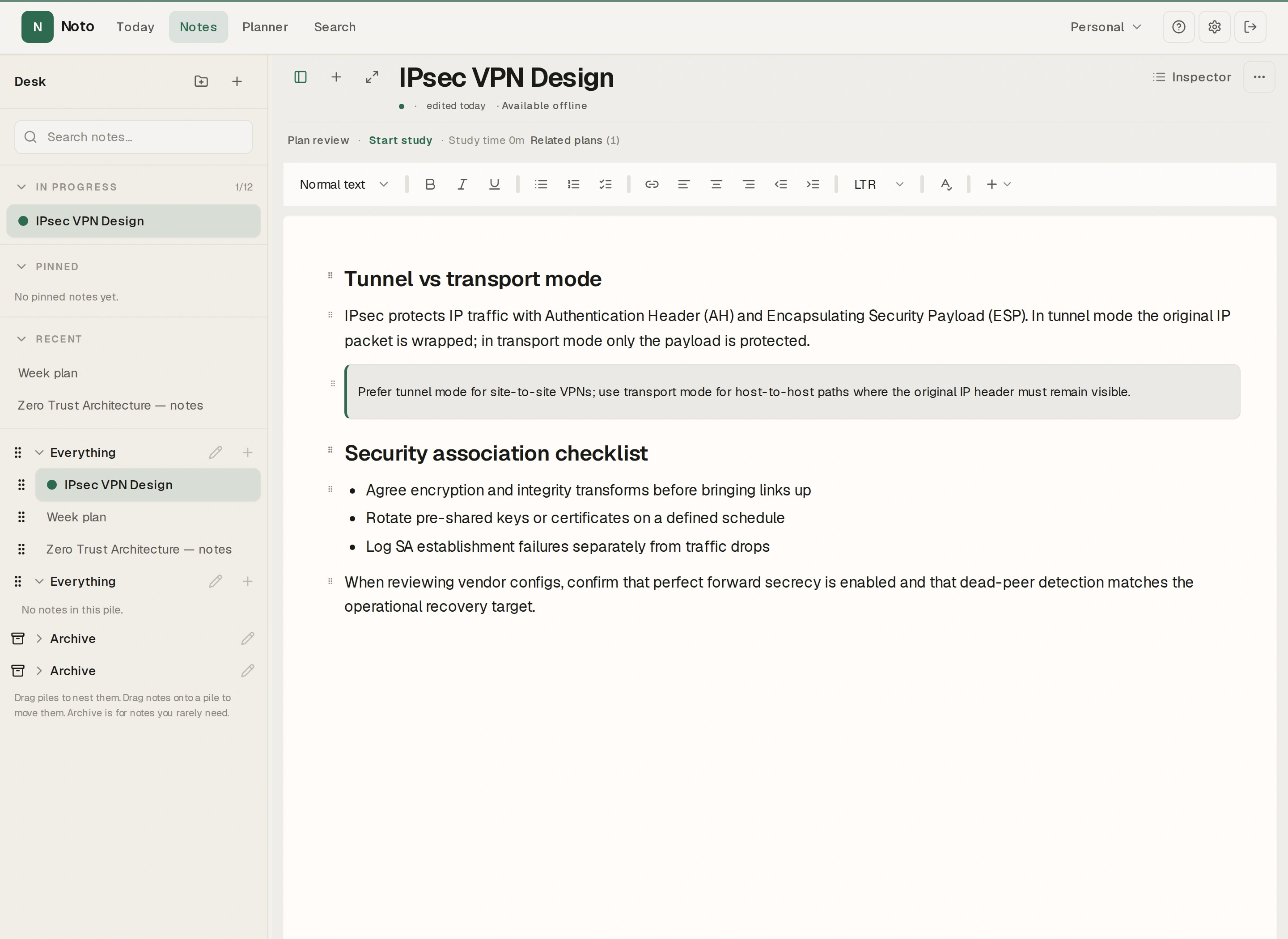
Web + Windows
The same product and account — not a separate notes store. Work in the browser or the Windows app; your notes stay with Noto.
What you get
Everyday notes and planning for students, teachers, researchers, and anyone who wants one calm workspace — on Windows as on the web.
One Noto account
Sign in with the same account you use on the web. Notes and planning stay with Noto — not a second desktop-only library.
Notes, Today, and Planner
Work in a focused Windows window with the same product surfaces: writing, daily command, and week planning.
PDFs and attachments
PDFs can show inside notes. Larger PDFs and other attachments open with your default Windows apps in one click.
Writing check and backup
Check writing in the editor. Backup export and import are available in Settings — same account as on the web.
Updates inside the app
Check for updates from About, download when available, and restart when you’re ready. Dirty notes block restart so you don’t lose work.
Online by design
The Windows app needs an internet connection for sign-in and your notes. It is not offline editing or offline sync. Calendar connect stays on the web for now.
Notes stay at the center
Capture lectures, literature, and prep in the same editor language as the web app. Modes for Personal, Study, Research, and Teaching keep context nearby without switching products.
- Shared account identity with app.trynoto.app
- Today gathers attention from notes, courses, reading, and plans
- Planner for study and teaching prep without auto-flooding your week
- Folders in Spaces, writing check, and note PDFs — same as on the web
- Calendar connect remains web-only for now
Install Early Access
- 1Download the installer for Windows (2026.1109.1) from the button on this page. The official file is Noto-Setup-2026.1109.1.exe on downloads.trynoto.app.
- 2Run the installer. If SmartScreen appears, that reflects the current unsigned Early Access build — confirm you opened the official download, then continue only if you trust that source.
- 3Sign in with your Noto account. New here? Create a free account on the web first, then return to the desktop app.
- 4Stay online while you work. Updates arrive through the in-app updater when a newer Early Access build is published.
What's new in 2026.1109.1
- A short welcome that helps you write your first note and choose how you use Noto.
FAQ
- Is this a separate notes product?
- No. Windows runs the same Noto product against your existing account. What you create on the web is the same workspace on desktop when you’re signed in.
- Does it work offline?
- No. Sign-in and your notes require a network connection. Early Access is an online desktop host, not an offline-first notes store.
- Why does Windows SmartScreen warn me?
- Early Access 2026.1109.1 is an unsigned build hosted on downloads.trynoto.app. SmartScreen may show a warning until a signed release ships. Only download from the official Noto download link.
- How do I get updates?
- Open Settings → About (or the update panel) and check for updates. When a new build is ready, download and restart from inside the app.
- Can I keep using the web app?
- Yes. Use the browser or Windows — same account. Start free on the web anytime if you prefer.